


 Sea Beach
The next stage of business automation is not just about using AI to write emails or answer questions. It is about AI systems that can manage entire workflows, coordinate tasks, analyse information, and help businesses make faster decisions.
Imagine this:
A customer submits an enquiry through your website. AI analyses the request, identifies the customer's requirements, adds the lead to your CRM, sends a personalised response, schedules a follow-up, and alerts your sales team.
At the same time, another AI system monitors pending orders, identifies delivery delays, prepares customer notifications, and highlights operational problems.
No employee needs to manually move information between five different applications.
This is where AI-powered business workflows are heading.
As businesses explore AI agents, intelligent automation, and connected software systems, an important question is emerging:
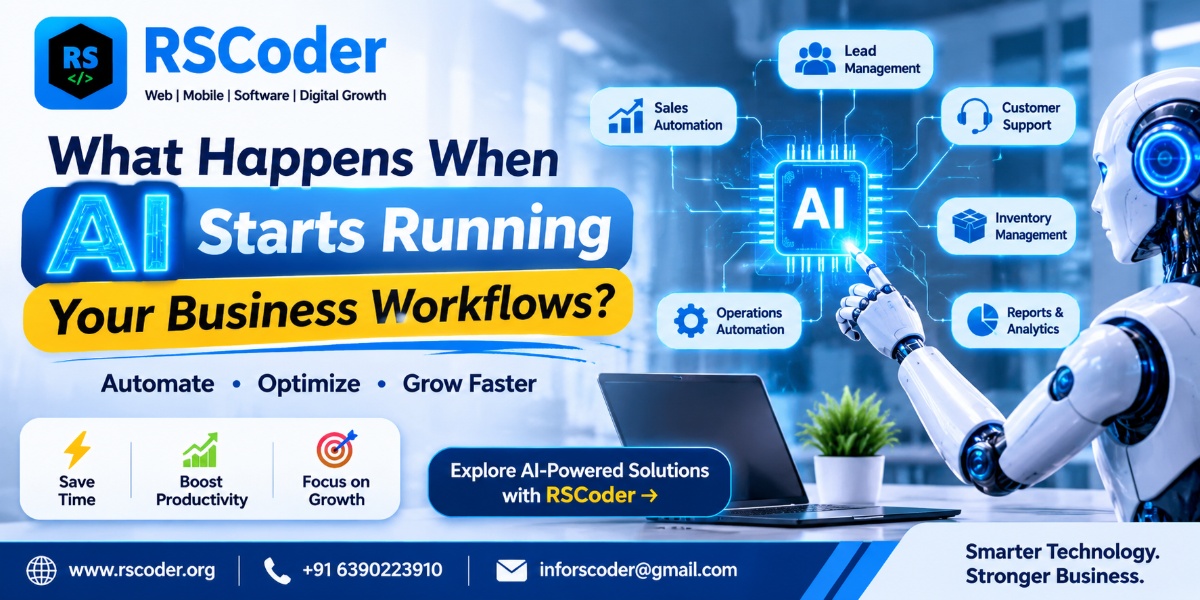
What happens when AI starts running your business workflows instead of simply assisting your employees?
In this article, we explore how AI can manage business operations, which workflows can be automated, what opportunities and risks businesses should consider, and how companies can prepare for this shift.
What Does It Mean When AI Runs Business Workflows?
Traditionally, business automation followed predefined instructions. A system performed a particular action when a specific condition was met.
For example:
-
When a customer submits a form, send an email.
-
When an invoice is generated, notify the accounts team.
-
When an order is placed, update the inventory.
-
When a payment is received, generate a receipt.
These workflows are useful, but they generally depend on predefined rules.
AI-powered workflows can go further. They can interpret information, classify requests, summarise documents, recommend actions, and coordinate multiple steps using connected applications and tools.
For example, an AI-powered customer service workflow could:
-
Receive a customer message.
-
Understand the customer's question.
-
Retrieve relevant information from an approved knowledge base.
-
Identify whether the issue needs human attention.
-
Prepare an appropriate response.
-
Create a support ticket.
-
Assign the ticket to the relevant department.
-
Track the status and prepare a follow-up.
Depending on its permissions and system design, an AI agent may perform some of these actions independently, while other actions require employee approval.
The major shift is from automating individual tasks to coordinating complete business processes.
AI Automation vs Traditional Automation: What Is Changing?
Traditional automation and AI automation are not the same thing.
Traditional automation follows predefined rules, while AI-powered automation can interpret more complex inputs and help determine the next action.
| Traditional Automation | AI-Powered Workflow Automation |
|---|---|
| Follows predefined rules | Can interpret context and instructions |
| Works well with structured data | Can process text and other unstructured information |
| Performs specific repetitive tasks | Can coordinate multiple related tasks |
| Requires defined conditions | Can use AI-based classification and reasoning |
| Usually follows fixed workflows | Can support more flexible workflows |
| Limited interpretation | Can summarise and analyse information |
However, AI is not automatically more reliable than traditional automation.
For predictable tasks such as calculating totals, updating inventory quantities, or processing standard transactions, conventional software rules may be more dependable.
The strongest systems often combine both: traditional automation for predictable operations and AI for tasks that require interpretation.
1. AI Could Transform How Businesses Manage Customer Enquiries
Customer enquiries are among the most common business workflows.
Many companies receive enquiries through websites, WhatsApp, email, social media, and telephone calls. Managing these conversations manually can create delays and missed opportunities.
AI-powered lead management can help businesses:
-
Understand incoming customer enquiries.
-
Categorise leads based on their requirements.
-
Identify product or service interests.
-
Record relevant information in a CRM.
-
Draft personalised responses.
-
Schedule follow-up reminders.
-
Notify the appropriate sales representative.
-
Summarise previous customer interactions.
Example: An AI-Powered Lead Management Workflow
A customer visits a website and requests information about developing an eCommerce application.
An AI workflow can identify the project category, extract the customer's requirements, create a CRM record, prepare a response, and notify the sales team.
The salesperson receives a structured summary instead of having to review multiple messages manually.
The human team can then focus on understanding the project, discussing solutions, and converting the opportunity.
2. AI Could Make Business Operations More Connected
Many growing businesses operate through separate applications for sales, accounting, inventory, customer support, and employee management.
The problem is not always a lack of software. It is that these applications do not communicate effectively.
AI-powered workflows, APIs, and business integrations can help connect different systems.
Consider an eCommerce business:
-
A customer places an order.
-
The order management system records the transaction.
-
Inventory software checks product availability.
-
The payment system verifies the transaction.
-
The delivery system receives the shipping information.
-
AI monitors exceptions and highlights unusual delays.
-
Customer support receives relevant order information.
AI can help coordinate and interpret information across these systems, while the underlying applications remain responsible for their core business operations.
This creates a more connected operational environment.
3. AI Agents Could Become Digital Team Members
One of the most interesting developments in business technology is the rise of AI agents.
An AI agent is a system designed to pursue a defined objective, use available tools, process information, and perform permitted actions.
Unlike a simple chatbot that mainly responds to questions, an AI agent may interact with business applications to complete multi-step tasks.
Examples of AI Agents in Business
| AI Agent | Possible Responsibilities |
|---|---|
| Sales Agent | Qualify enquiries and prepare follow-ups |
| Customer Support Agent | Answer common questions and create tickets |
| Marketing Agent | Analyse campaign data and prepare content drafts |
| HR Agent | Organise candidate information and coordinate interviews |
| Finance Agent | Extract invoice information and flag discrepancies |
| Inventory Agent | Monitor stock levels and highlight potential shortages |
| Operations Agent | Track workflow status and identify delays |
These agents should operate within clearly defined permissions.
For example, an AI finance agent might extract invoice information and flag a mismatch, but a human should approve important payments.
The objective is not to replace every employee with an AI agent. It is to reduce repetitive work and give employees better tools to perform their responsibilities.
4. AI in Sales and Marketing: From Manual Campaigns to Intelligent Workflows
Sales and marketing teams regularly perform tasks that involve gathering information, analysing customer behaviour, preparing communication, and tracking results.
AI can support many of these activities.
AI-powered marketing workflows may include:
-
Analysing campaign performance.
-
Grouping customers by interests.
-
Preparing personalised email drafts.
-
Identifying potential content topics.
-
Summarising customer feedback.
-
Preparing campaign reports.
-
Detecting changes in engagement.
AI-powered sales workflows may include:
-
Organising incoming leads.
-
Summarising sales conversations.
-
Preparing proposal drafts.
-
Identifying unanswered enquiries.
-
Scheduling follow-up activities.
-
Highlighting opportunities that need attention.
For example, when a customer downloads a product brochure, a connected workflow could record the activity, update the CRM, and prepare a relevant follow-up for the sales team.
Businesses still need human review for messaging, pricing, promises, and important customer decisions.
5. AI Could Change Finance and Accounting Operations
Finance departments handle invoices, expenses, purchase orders, payment records, reconciliation, and reporting.
These activities often involve large amounts of structured and unstructured information.
AI can help with:
-
Extracting information from invoices.
-
Categorising expenses for review.
-
Matching documents with purchase orders.
-
Identifying unusual transactions.
-
Preparing financial summaries.
-
Flagging missing information.
-
Organising payment reminders.
For example, an AI-powered invoice workflow could read an uploaded invoice, extract the vendor name and amount, compare the information with a purchase order, and flag differences for an accounts employee.
The final approval and payment process should remain subject to appropriate financial controls.
6. AI in HR: Automating Repetitive Employee Management Tasks
HR teams manage recruitment, employee records, attendance, onboarding, leave requests, and internal communication.
AI-powered HR workflows can help reduce administrative effort.
Possible applications include:
-
Organising job applications.
-
Extracting relevant information from CVs.
-
Preparing interview schedules.
-
Generating onboarding checklists.
-
Answering common employee policy questions.
-
Summarising employee feedback.
-
Preparing HR reports.
However, AI should not independently make sensitive employment decisions without appropriate human oversight.
Recruitment, performance evaluations, compensation, and employee-related decisions require fairness, accountability, and careful review.
7. AI in Logistics and Supply Chain Management
Logistics businesses coordinate vehicles, drivers, shipments, warehouses, delivery schedules, and customer updates.
A delay in one part of the process can affect multiple departments.
AI-powered workflows can help monitor operational information and identify potential problems.
For example:
-
A shipment enters the logistics system.
-
The system receives tracking updates.
-
AI analyses available delivery information.
-
A potential delay is flagged.
-
The operations team receives an alert.
-
A customer notification is prepared.
-
The delivery status is updated through the connected system.
Other potential applications include fleet monitoring, shipment document processing, warehouse reporting, and demand forecasting.
AI recommendations should be based on reliable operational data, and critical routing or dispatch decisions may still require human approval.
8. What Happens When Multiple AI Agents Work Together?
The next stage of automation may involve multiple specialised AI agents coordinating different parts of a business workflow.
Imagine a company managing an online marketplace.
It could use:
-
A sales agent to organise customer enquiries.
-
An inventory agent to check stock availability.
-
A finance agent to verify payment information.
-
A logistics agent to monitor delivery progress.
-
A support agent to prepare customer updates.
These agents can exchange information through an orchestrated workflow or supported integrations.
The coordination layer determines which agent receives a task, what information it can access, and which actions it is allowed to perform.
This type of architecture is sometimes called multi-agent AI.
However, multiple agents do not automatically make a system better. They also introduce additional complexity, such as conflicting outputs, communication failures, duplicated actions, and higher operating costs.
A well-designed system should define responsibilities, permissions, escalation rules, and audit trails.
9. What Are the Risks of Letting AI Run Business Workflows?
AI automation creates opportunities, but giving AI access to business systems also introduces risks.
Businesses should consider these challenges before deploying AI agents.
Incorrect decisions
AI can produce incorrect or incomplete outputs. Important financial, legal, operational, and customer-facing actions need appropriate validation.
Data privacy
AI systems may process sensitive customer, employee, or business information. Access must be limited to approved data and managed under applicable privacy requirements.
Security risks
Connected AI agents may interact with email, CRM systems, databases, and other applications. Poor permission management can expose important business resources.
Lack of accountability
Businesses need clear responsibility for actions performed by AI systems. Activity logs and approval records can help establish accountability.
Integration complexity
Connecting multiple applications requires reliable APIs, authentication, error handling, and ongoing monitoring.
Uncontrolled costs
AI usage, model calls, infrastructure, and third-party services can create unexpected expenses if workflows are poorly designed.
The right approach is controlled automation, not unrestricted automation.
10. How Can a Business Start Using AI-Powered Workflows?
A business does not need to automate its entire operation on day one.
A gradual implementation strategy is often more practical.
Step 1: Identify repetitive processes
Start by identifying tasks that consume employee time, involve repeated data entry, or require moving information between applications.
Step 2: Choose one workflow
Select a process with clear inputs and measurable results, such as lead classification, invoice extraction, or customer support ticket creation.
Step 3: Connect the required applications
Identify the CRM, website, email platform, accounting software, database, or other applications involved.
Step 4: Define AI permissions
Decide what AI can read, what it can prepare, what it can update, and which actions require human approval.
Step 5: Test with real-world scenarios
Evaluate accuracy, response quality, system reliability, exceptions, and security before deploying the workflow widely.
Step 6: Measure business results
Track metrics such as processing time, error rates, employee workload, customer response time, and cost per completed task.
Step 7: Expand carefully
Once the first workflow performs reliably, consider connecting additional processes.
11. Will AI Replace Business Employees?
AI will change how many employees perform their work, but automating a task does not necessarily mean eliminating the role responsible for it.
Employees may spend less time on repetitive activities and more time on customer relationships, strategy, problem-solving, negotiation, quality control, and decision-making.
For example, an AI support agent may handle common questions, while human support professionals manage complicated complaints and sensitive situations.
Similarly, AI may prepare a sales proposal, but a salesperson still needs to understand the customer's business and negotiate the final agreement.
The businesses most likely to benefit are those that redesign workflows around effective collaboration between people and technology.
12. What Will AI-Driven Businesses Look Like in the Future?
As AI agents and business integrations mature, more companies may move towards connected operating environments.
Instead of using isolated applications for every department, businesses may increasingly connect their systems through shared data, APIs, workflow engines, and AI-powered coordination.
Possible developments include:
-
More personalised customer experiences.
-
Faster internal approvals.
-
Automated document processing.
-
Intelligent business reporting.
-
AI-assisted operational planning.
-
Connected CRM and ERP systems.
-
More responsive customer support.
-
Business-specific AI assistants.
But successful AI adoption will depend on more than choosing the latest model.
Businesses will need reliable data, clear processes, secure infrastructure, suitable integrations, employee training, and human accountability.
Frequently Asked Questions About AI-Powered Business Workflows
1. What are AI-powered business workflows?
AI-powered business workflows use artificial intelligence to interpret information, assist with decisions, and coordinate tasks across business applications. They can support processes such as customer service, sales, finance, HR, and operations.
2. Can AI automate an entire business workflow?
AI can automate or coordinate many steps in a workflow, depending on the complexity, available integrations, and permissions. Sensitive or high-impact actions should include human approval and monitoring.
3. What is the difference between AI automation and AI agents?
AI automation generally uses AI as part of a process to perform specific tasks. AI agents are designed to pursue defined objectives, use tools, and complete multiple related steps within assigned permissions.
4. Which business processes should be automated first?
Good starting points include repetitive, measurable, low-risk processes such as lead classification, document extraction, customer enquiry routing, report preparation, and support ticket creation.
5. Can AI agents connect with CRM and ERP software?
Yes. AI agents can interact with CRM and ERP applications through supported APIs, integrations, and workflow platforms. Access should be controlled through authentication, permissions, and activity monitoring.
6. Is AI workflow automation suitable for small businesses?
Yes. Small businesses can begin with focused workflows such as lead management, appointment coordination, customer support, and document processing. The solution should match the business's needs and budget.
7. Is AI automation expensive for businesses?
Costs vary depending on the AI models, integrations, infrastructure, usage, security requirements, and ongoing maintenance. Businesses should estimate the total cost and expected operational benefits before implementation.
8. Is it safe to let AI access business data?
It can be managed safely with appropriate controls, but unrestricted access is not advisable. Businesses should use least-privilege permissions, secure authentication, data protection measures, logging, and human approval for sensitive actions.
9. Can AI run a business without human employees?
AI can handle many defined tasks, but businesses still need people for accountability, strategy, relationships, oversight, complex decisions, and situations that require human judgement.
10. How can a company implement AI-powered workflow automation?
Start by identifying a repetitive business process, selecting an appropriate AI solution, connecting the required applications, defining permissions, testing the workflow, and measuring its results before expanding.
Final Thoughts: The Future of Business Is Not Just Automated. It Is Connected.
The biggest change AI may bring to business is not simply faster content creation or better chatbots.
It is the ability to connect information, applications, and workflows so that everyday operations become more coordinated.
A customer enquiry can trigger a complete sales workflow. An invoice can initiate document verification. A delivery update can trigger operational alerts and customer communication.
But successful implementation requires more than adding AI to existing software. It requires understanding business processes, choosing the right architecture, integrating applications, and establishing appropriate controls.
Businesses that learn to combine AI, automation, and custom software effectively can build more connected and efficient operations.
Build Smarter Business Workflows with RS Coder
At RS Coder, we help businesses turn technology ideas into practical digital solutions.
We provide website and application development, custom software development, AI integration, and business automation services designed around operational requirements.
Our solutions can help businesses explore:
-
AI-Powered Business Automation
-
AI Agent Integration
-
Custom CRM and ERP Development
-
AI Chatbot and Customer Support Solutions
-
API Integration and Workflow Automation
-
Web Application Development
-
Mobile Application Development
-
Business Management Software
Whether you want to automate customer enquiries, connect multiple business applications, develop an AI-powered platform, or build a custom workflow management system, the first step is understanding your business process.
Ready to make your business workflows smarter?
Connect with RS Coder
🌐 www.rscoder.org
📞 +91 6390223910
✉️ inforscoder@gmail.com
Discover how AI agents are transforming business workflows through intelligent automation, connected applications, and smarter operations across sales, finance, HR, and customer service.
What Happens When AI Starts Running Your Business Workflows?