


 Sea Beach
Why Small Businesses Need Smarter Customer Management
Running a small business means managing multiple responsibilities at the same time. From generating leads and responding to enquiries to following up with potential customers, handling sales and maintaining existing relationships, every activity matters.
But what happens when customer information is scattered across spreadsheets, WhatsApp conversations, emails and personal notebooks?
Important enquiries get missed. Sales follow-ups become inconsistent. Customer histories are difficult to track, and business owners struggle to understand which opportunities are close to conversion.
This is where CRM software for small businesses becomes valuable.
A Customer Relationship Management (CRM) system helps businesses organise customer information, manage sales pipelines, track interactions and automate repetitive activities through one central platform.
Instead of managing customer relationships manually, businesses can use CRM technology to build a more organised, measurable and scalable sales process.
Whether you operate a startup, consultancy, service company, retail business or growing enterprise, choosing the right CRM software can make a significant difference to your daily operations.
Looking to build a CRM system around your business workflow?
RSCoder provides website development, mobile app development and custom software solutions to help businesses create technology that supports their growth.
Explore: www.rscoder.org
1. What Is CRM Software?
CRM stands for Customer Relationship Management. CRM software is a digital system that helps businesses manage their relationships with customers, prospects and existing clients.
It stores customer information, tracks sales activities, records communication history and helps teams manage leads throughout the sales journey.
For example, when someone submits an enquiry through your website, a CRM can capture their details, assign the lead to a sales representative and schedule a follow-up.
The sales team can then track the enquiry, update its status and record conversations without searching through different applications.
A typical CRM system can manage:
-
Customer contact information
-
Website enquiries and incoming leads
-
Sales opportunities and deal stages
-
Calls, emails and meeting records
-
Follow-up reminders and tasks
-
Customer support requests
-
Sales reports and performance dashboards
The main purpose is simple: keep customer information organised and help your team build better business relationships.
2. Why Do Small Businesses Need CRM Software?
Many small businesses initially manage customers through spreadsheets or messaging applications. This may work when the customer base is limited, but manual processes become harder as enquiries increase.
A CRM system helps solve several common business challenges.
Better Lead Management
Every enquiry represents a potential business opportunity. CRM software helps capture leads, organise them and track their progress from initial enquiry to conversion.
Faster Follow-Ups
Delayed responses can result in lost opportunities. Automated reminders and task assignments help sales teams follow up with prospects at the right time.
Improved Customer Relationships
A CRM stores previous interactions, preferences and communication records, helping teams understand customer requirements before responding.
Better Team Coordination
Sales representatives and managers can work from shared customer records instead of maintaining separate spreadsheets.
More Visibility Into Sales Performance
Dashboards and reports help business owners understand lead sources, conversion rates, pending deals and team performance.
Reduced Manual Work
Automation can handle repetitive activities such as lead assignment, notifications, task creation and follow-up scheduling.
3. Essential CRM Software Features Every Small Business Should Look For
Not every CRM platform offers the same capabilities. Before choosing a solution, understand which features can improve your business operations.
1. Lead Management
Lead management is one of the most important CRM features.
It helps businesses collect, organise, assign and track potential customers from multiple sources, including websites, landing pages, advertisements, referrals and social media.
A useful lead management module should support:
-
Lead capture forms
-
Lead assignment
-
Lead status tracking
-
Source identification
-
Follow-up scheduling
-
Lead conversion tracking
2. Contact and Customer Management
A central customer database allows businesses to maintain organised records of prospects and existing clients.
It should include contact details, company information, previous conversations, enquiry history, notes and important documents.
This makes it easier for employees to access relevant customer information whenever needed.
3. Sales Pipeline Management
A sales pipeline gives teams a visual overview of where each opportunity stands.
Typical stages include:
-
New enquiry
-
Contacted
-
Qualified lead
-
Proposal shared
-
Negotiation
-
Won or lost
Managers can identify pending opportunities, monitor sales progress and understand where leads are dropping out.
4. Task and Follow-Up Automation
CRM automation reduces the need for repetitive manual work.
Businesses can configure reminders, follow-up tasks, lead assignments and notifications based on specific events.
For example, when a new enquiry arrives, the system can automatically assign it to a sales representative and create a follow-up task.
5. Reporting and Analytics
A CRM dashboard should help business owners understand how their sales operations are performing.
Useful reports include:
-
Total enquiries received
-
Lead conversion rate
-
Sales generated
-
Pending follow-ups
-
Sales representative performance
-
Lead source performance
-
Monthly sales trends
These insights support better business decisions.
6. Email and Communication Integration
Communication integration helps teams maintain a consistent record of customer interactions.
Depending on the CRM platform, businesses may integrate email, calling systems, website forms and supported messaging services.
Always check which integrations are included and whether additional subscriptions or development work are required.
7. Mobile CRM Access
Sales teams are not always working from an office. Mobile CRM access allows authorised users to view leads, update customer records, schedule tasks and check sales progress while travelling.
For businesses with field sales teams, mobile access can be particularly useful.
8. User Roles and Data Security
A CRM should allow administrators to control who can view, edit or manage different records.
Role-based permissions, secure authentication, access logs, regular backups and appropriate data protection practices are important considerations.
4. Types of CRM Software for Small Businesses
Different businesses have different customer management requirements. Understanding CRM categories can help you select a suitable solution.
Operational CRM: Focuses on sales, marketing and customer service processes. It helps automate everyday customer-facing activities.
Analytical CRM: Helps businesses analyse customer data, sales performance and purchasing patterns to identify useful trends.
Collaborative CRM: Supports information sharing between teams so sales, marketing and customer support can coordinate their activities.
Cloud-Based CRM: Runs through an internet-connected platform, allowing authorised users to access customer information from different locations.
Custom CRM Software: Developed around a company's specific workflows, business rules, integrations and reporting requirements.
A small business may need only a straightforward lead management system initially, while a growing organisation may require advanced automation and custom modules.
5. Best CRM Software for Small Businesses: What Should You Compare?
There is no single CRM platform that is best for every business. The right choice depends on your team size, budget, sales process and required integrations.
When comparing CRM platforms, consider the following:
| Comparison Factor | What to Check |
|---|---|
| Ease of use | Can employees learn it quickly? |
| Lead management | Does it capture and organise enquiries? |
| Automation | Can it automate repetitive tasks? |
| Integrations | Does it connect with your existing tools? |
| Reporting | Are sales dashboards and reports available? |
| Mobile access | Can your team manage leads remotely? |
| Security | Are permissions and data protection controls available? |
| Scalability | Can it support business growth? |
| Pricing | Are user limits and additional charges clear? |
Popular CRM platforms worth evaluating include HubSpot CRM, Zoho CRM, Salesforce and Freshsales.
Compare their current plans, feature availability, user limits and integration requirements before making a decision. A free or entry-level plan may be sufficient for a new business, while more advanced workflows may require a paid subscription.
6. Ready-Made CRM vs Custom CRM Software: Which Is Better?
One important decision is whether to use an existing CRM platform or develop a custom CRM solution.
Ready-Made CRM Software
Ready-made CRM platforms are useful for businesses that want to start quickly with standard sales and customer management features.
Advantages include:
-
Faster initial setup
-
Existing features and integrations
-
Vendor-provided updates
-
Less initial development work
However, businesses may encounter limitations when their processes require specialised workflows, complex permissions or unique integrations.
Custom CRM Software
Custom CRM development allows businesses to build a system around their exact operational requirements.
Possible advantages include:
-
Business-specific workflows
-
Custom dashboards and reports
-
Tailored lead management
-
Integration with existing business software
-
Custom user roles and permissions
-
Greater control over future feature development
The right approach depends on your actual requirements. Small businesses should not invest in unnecessary complexity. Start with essential features and expand when business needs justify it.
7. How Much Does CRM Software Cost?
CRM software costs vary depending on the platform, number of users, features, integrations and implementation requirements.
Ready-made CRM platforms may offer free plans, monthly subscriptions or per-user pricing. Advanced features, additional users and third-party integrations can increase the overall expense.
Custom CRM development costs depend on factors such as:
-
Number of modules
-
Lead and sales management complexity
-
User roles and access controls
-
Website or mobile app integration
-
Automation requirements
-
Reporting and analytics
-
Hosting, maintenance and support
Before selecting a solution, calculate the total cost of ownership rather than comparing only the initial subscription or development expense.
A practical approach is to identify essential features first, define your budget and plan future improvements in phases.
8. How AI Is Making CRM Software Smarter
Modern CRM systems are increasingly using Artificial Intelligence to help businesses understand customer data and improve sales workflows.
AI-powered CRM features can include:
Lead Scoring: Analyse available lead information and activity signals to help prioritise promising enquiries.
AI-Assisted Follow-Ups: Suggest response drafts and follow-up messages based on customer interactions.
Sales Forecasting: Analyse historical sales information to support revenue forecasting.
Customer Sentiment Analysis: Help identify positive or negative patterns in customer feedback and conversations.
Smart Data Summaries: Summarise customer interactions so employees can understand previous discussions more quickly.
Workflow Recommendations: Identify repetitive tasks and suggest opportunities for automation.
AI should support employees rather than replace business judgement. Its usefulness depends on data quality, integration capabilities and appropriate human review.
9. How to Choose the Right CRM Software for Your Business
Choosing CRM software becomes easier when you evaluate your business requirements before comparing platforms.
Follow this practical checklist:
-
Identify your business goals: Decide whether your priority is lead generation, sales tracking, customer support or better reporting.
-
Understand your sales process: Map how enquiries enter your business and move towards conversion.
-
List essential features: Separate must-have features from optional improvements.
-
Check usability: Choose a platform your employees can use without unnecessary complexity.
-
Review integrations: Confirm compatibility with your website, email, communication tools and other systems.
-
Evaluate security: Check authentication, permissions, backups and data handling practices.
-
Compare total costs: Consider subscriptions, implementation, training and maintenance.
-
Test before committing: Use a trial or demonstration to understand the actual workflow.
-
Plan for growth: Select a solution that can support additional users, leads and business processes.
The best CRM is not necessarily the one with the most features. It is the one your team can use consistently to manage customers and improve business performance.
10. Common CRM Mistakes Small Businesses Should Avoid
Even a good CRM platform may fail to deliver value if it is implemented poorly.
Avoid these common mistakes:
-
Choosing software without understanding business requirements.
-
Adding too many unnecessary features.
-
Failing to train employees.
-
Maintaining incomplete or duplicate customer records.
-
Ignoring lead follow-ups.
-
Not reviewing sales reports.
-
Selecting a platform without checking integration limitations.
-
Overlooking data security and backup practices.
A successful CRM implementation requires clear processes, accurate information and regular usage by the team.
Frequently Asked Questions About CRM Software
1. What is the best CRM software for small businesses?
The best CRM depends on your business size, workflow and budget. HubSpot CRM, Zoho CRM, Salesforce and Freshsales are popular options worth comparing.
2. Is CRM software useful for small businesses?
Yes. CRM software helps small businesses organise customer information, manage enquiries, track sales activities and improve follow-up processes.
3. Can I use CRM software for free?
Some CRM providers offer free plans with limited features or users. Check the current plan restrictions before choosing one.
4. What are the most important CRM features?
Essential features include lead management, contact management, sales pipeline tracking, task reminders, reporting, automation and user permissions.
5. What is the difference between CRM and ERP software?
CRM focuses primarily on customer relationships, sales and customer-facing activities. ERP manages broader business operations such as finance, inventory, procurement and other internal processes.
6. Can CRM software be customised?
Yes. Depending on the platform, businesses can configure workflows, fields, dashboards and integrations. Custom CRM development offers greater flexibility for specialised requirements.
7. Is cloud-based CRM better than traditional CRM?
Cloud-based CRM is convenient for businesses that need access across multiple locations and devices. The right option depends on security requirements, infrastructure and operational preferences.
8. Can CRM software integrate with a business website?
Yes. CRM systems can integrate with website enquiry forms, landing pages and other supported tools to capture and organise incoming leads.
9. How does AI improve CRM software?
AI can support lead scoring, sales forecasting, interaction summaries, response suggestions and workflow recommendations, depending on the platform and available data.
10. Should a startup invest in custom CRM development?
A startup should first understand its customer management requirements. Ready-made CRM software may be sufficient initially, while custom development becomes useful when specialised workflows or integrations are needed.
Conclusion: Turn Customer Information Into Business Opportunities
Customer relationships are among the most valuable assets of any business. As enquiries, sales activities and customer interactions increase, managing everything manually becomes more difficult.
The right CRM software helps small businesses organise customer data, manage leads, improve follow-ups and gain better visibility into sales performance.
Start by identifying your business requirements, comparing suitable CRM platforms and selecting features that solve real operational problems. As your business grows, you can introduce more advanced automation, reporting and AI-powered capabilities.
Your Business Deserves a CRM That Works the Way You Do.
If ready-made software does not fully match your business process, a customised CRM solution can help bring your leads, customers, sales activities and business workflows together.
Build Your Custom CRM Solution with RSCoder
RSCoder helps businesses develop websites, mobile applications and custom software solutions designed around their operational requirements.
Whether you need a lead management system, sales dashboard, customer portal, automated follow-up workflow or a complete CRM platform, the right development approach can help create a more connected business operation.
Let's build a smarter way to manage your customers and grow your business.
RSCoder – Website Development | Mobile App Development | Custom Software Solutions | Digital Marketing
Find out how CRM software helps small businesses manage leads, improve customer relationships, automate sales activities and grow revenue with the right technology.
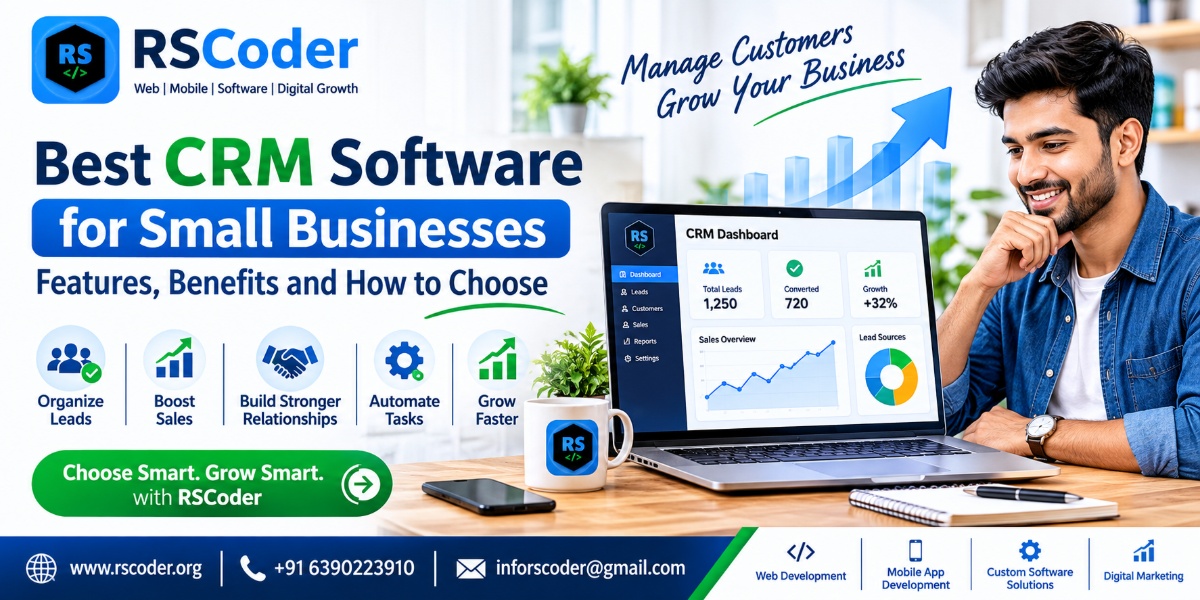
Best CRM Software for Small Businesses: Features, Benefits and How to Choose